Guide 6 | Ergonix Workplace Guidance Series
Why Hot Desk Setup Matters
Hot desking is now common in many office and hybrid working environments. While it offers flexibility, each desk may have been adjusted for the person who used it before you.
Chair height, back support, screen position and equipment placement can all be different from one workstation to another. Taking a few minutes to adjust your workstation before starting work can help you work more comfortably and reduce unnecessary musculoskeletal strain.
Set Up Your Workstation Before You Start Work
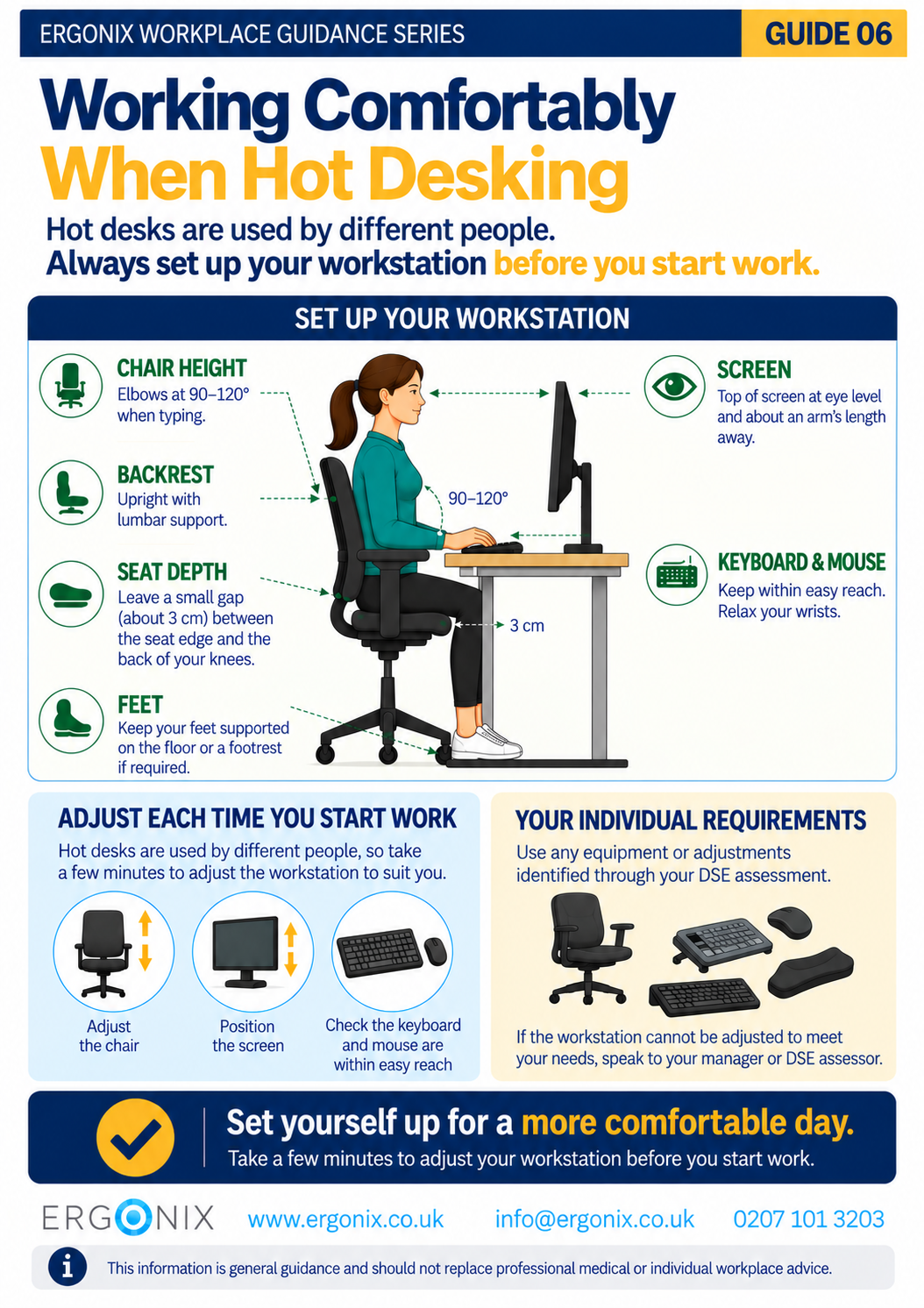
When hot desking, adjust the workstation to suit you before you start work. Start with your chair, then check your screen, keyboard and mouse. These simple adjustments can help you achieve a comfortable working position before you begin.
– Chair Height
Adjust the chair so your elbows are approximately 90–120° when typing and using the mouse. Your shoulders should feel relaxed rather than raised.
– Backrest
Adjust the backrest so that you can sit comfortably upright with your lower back supported.
Sit back into the chair rather than perching towards the front of the seat.
– Seat Depth
Check the space between the front edge of the chair and the back of your knees. Aim to leave a small gap of approximately 3 cm so that the seat does not press into the back of your legs.
– Feet
Keep your feet supported on the floor.
If you need to raise your chair to achieve a comfortable working height and your feet no longer reach the floor, use a footrest.
– Screen
Position the screen so that the top is approximately at eye level and the screen is about an arm’s length away.
Place the screen directly in front of you where possible to avoid repeatedly turning or twisting your neck.
– Keyboard and Mouse
Keep your keyboard and mouse within easy reach and position them so that you do not need to stretch forwards to use them.
Keep your wrists relaxed while typing and using the mouse.
It only takes a short time, but these adjustments can make a significant difference to comfort during the working day.
Hot Desking and DSE Assessments
Hot desking does not remove an employer’s responsibilities under the Health and Safety (Display Screen Equipment) Regulations.
Where employees regularly hot desk, this should be considered as part of their DSE assessment. This includes whether they can adjust the workstation to suit them and work comfortably.
Employees should also be shown how to make the necessary workstation adjustments and how to report any problems with their equipment or DSE setup.
If you cannot adjust a workstation comfortably, or you experience pain or discomfort when working, speak to your DSE assessor or manager.
Hot Desking and DSE Management for Employers
For more detailed information on managing DSE assessments and health and safety responsibilities in hot-desking environments, read Hot Desking Dynamics: Managing DSE Workstation Assessments and HSE Compliance.
Remember to Move
A well-adjusted workstation is only one part of comfortable DSE working.
Avoid remaining in the same position for prolonged periods. Change position regularly and take short opportunities to stand and move throughout the working day.
For more practical advice, see Guide 2 – Move More, Feel Better, Perform Better.
Free Workplace Guidance
Download Guide 6 – Working Comfortably When Hot Desking (PDF)
Print and share within your organisation.
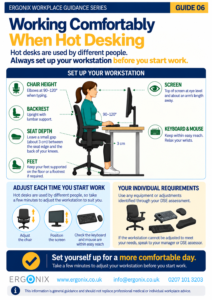
The free infographic provides employees with a quick reminder of the main workstation adjustments to make when hot desking.
It can be printed or shared electronically as part of:
- DSE awareness and training
- hot-desking and hybrid working guidance
- employee inductions
- workplace wellbeing initiatives
- health and safety communications
- HR and Occupational Health programmes
Workplace Ergonomics and DSE Training
Ergonix supports organisations across the UK with workplace ergonomics, specialist DSE workstation assessments, CIEHF-accredited DSE Workstation Assessor training and employee wellbeing workshops.
In Summary
When hot desking, the workstation may have been adjusted differently by the previous user.
Taking a few minutes to adjust your chair, backrest, seat depth, screen, keyboard and mouse can help you work more comfortably. Make sure your feet are supported and remember to change position and move regularly throughout the working day.
If you cannot achieve a comfortable setup at your workstation, speak to your DSE assessor or manager.
Frequently Asked Questions
Do I need to adjust my workstation when hot desking?
Yes. When hot desking, the workstation may have been adjusted by the previous user. Take a moment to check your chair, screen, keyboard and mouse and make any adjustments needed for comfortable working before you start work.
Does my DSE assessment need to consider hot desking?
Yes. If you regularly hot desk, your DSE assessment should take this into account. This includes whether you can adjust the workstation to suit you and work comfortably. You should also know how to make the necessary adjustments.
What should I do if I cannot get comfortable when hot desking?
If you cannot adjust the workstation to achieve a comfortable working position, or you experience pain or discomfort while working, speak to your DSE assessor or manager.
Explore More Free Workplace Guidance
Explore more free guides in the Ergonix Workplace Guidance Series, covering practical ways to improve comfort, reduce musculoskeletal strain and support healthier ways of working.
- Guide 1 – Work Comfortably, Protect Your Spine
- Guide 2 – Move More, Feel Better, Perform Better
- Guide 3 – Using a Laptop Comfortably
- Guide 4 – Looking After Your Neck When Using Phones and Tablets
- Guide 5 – Looking After Your Eyes When Using Screens
- Guide 6 – Working Comfortably When Hot Desking (PDF)
References
Health and Safety Executive (HSE). Working safely with display screen equipment.
Further Reading
Hot Desking Dynamics: Managing DSE Workstation Assessments and HSE Compliance
Hot Desking and Workplace Ergonomics: DSE Risks in Hybrid Working
Posture Matters: Hot Desking Essentials
Author: Angela Yates | Workplace Health, Wellbeing & Ergonomics Specialist | HCPC-Registered Physiotherapist