Guide 1 | Ergonix Workplace Guidance Series
About the Ergonix Workplace Guidance Series
The Ergonix Workplace Guidance Series is a collection of free, evidence-based resources designed to help organisations create healthier and more comfortable working environments.
Each guide explores an important aspect of workplace ergonomics and provides practical advice that employees can apply during everyday desk-based work.
Why Workstation Setup Matters
Many people spend several hours each day using Display Screen Equipment (DSE). While no single sitting posture is perfect, poor workstation setup combined with prolonged static working can increase the physical demands placed on the muscles, joints and spine.
A well-adjusted workstation, combined with regular movement throughout the working day, can help improve comfort and reduce unnecessary musculoskeletal strain.
The aim is not to maintain one “perfect posture”, but to create a workstation that supports your body while encouraging regular movement and position changes.
Setting Up Your Workstation
A comfortable workstation starts with a few simple adjustments.
– Chair
Your chair should support a comfortable, upright sitting posture.
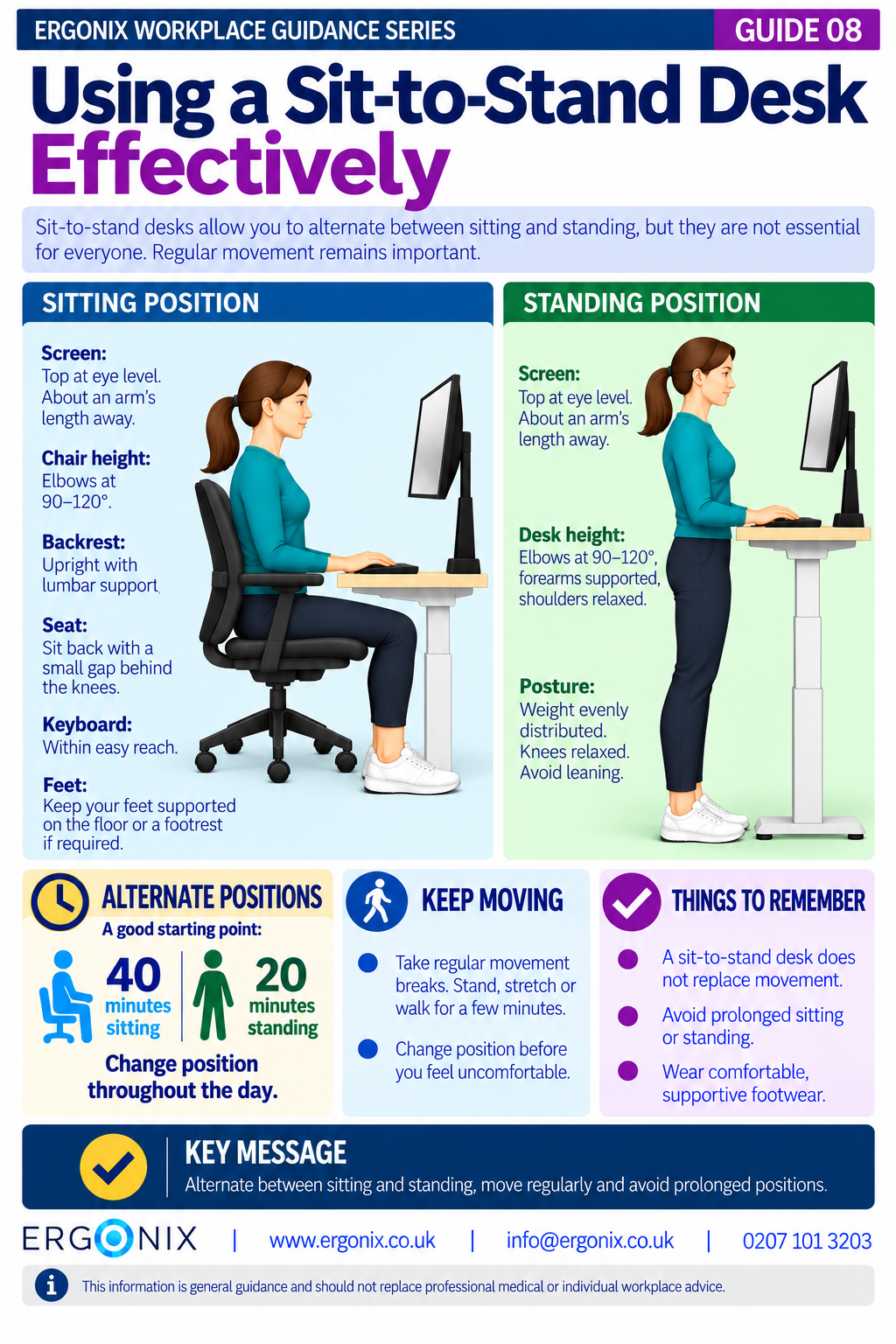
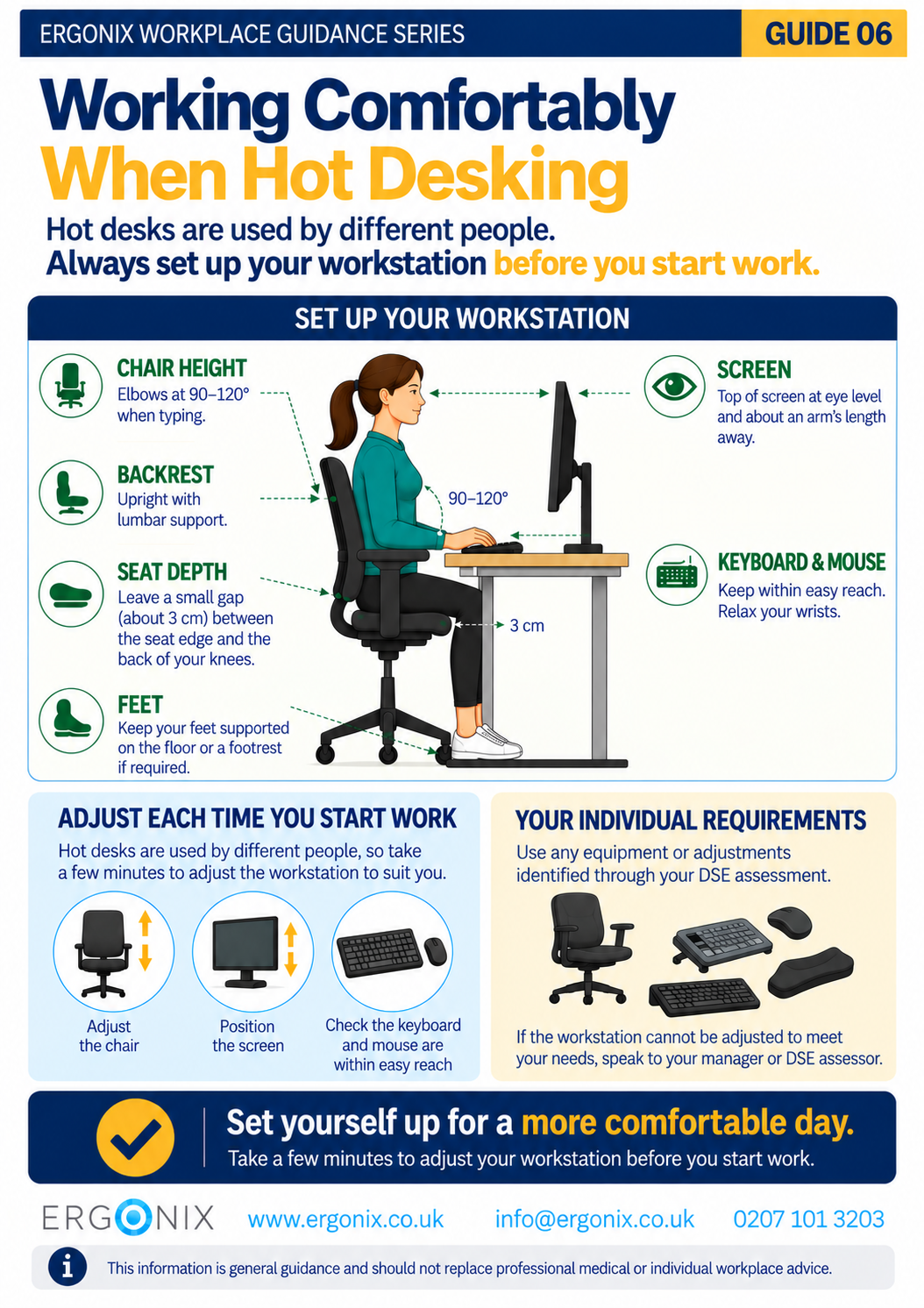
Adjust the chair height so your elbows are approximately 90–120° when typing and using the mouse. Sit back into the chair so the lumbar support supports the natural curve of your lower back, leaving a small gap between the back of your knees and the seat.
– Screen
Position the monitor so that:
- the top of the screen is approximately at eye level
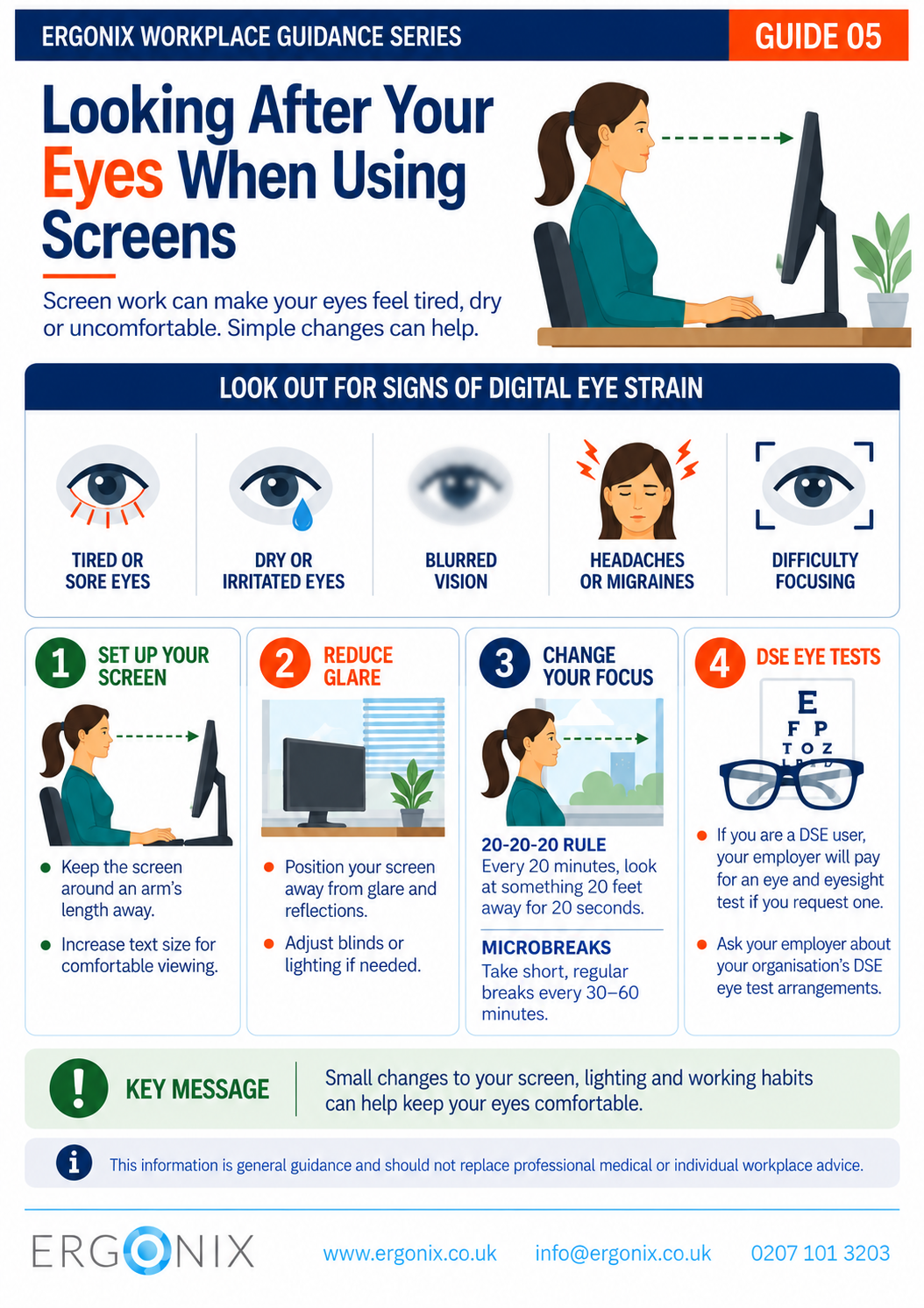
- the screen is about an arm’s length away
- you can look straight ahead without bending your neck
– Keyboard and Mouse
- keep the keyboard and mouse close to your body to minimise reaching
- your wrists should remain relaxed while typing and using the mouse
– Feet
Your feet should be fully supported on the floor. If this cannot be achieved after adjusting the chair correctly, a footrest may be appropriate.
Movement Matters
Even with an excellent workstation setup, remaining in the same position for long periods can increase spinal loading and contribute to muscular discomfort.
Simple movement throughout the day can make a significant difference.
Try to:
- stand up and move every 30–60 minutes
- stretch or change position regularly
- avoid prolonged bending, twisting or reaching
The key is to avoid staying in one position for too long.
Everyday Habits That Help
Small changes in the way you work can reduce unnecessary strain throughout the day.
These include:
- changing posture regularly
- turning your whole body rather than repeatedly twisting
- bringing frequently used items closer to reduce overreaching
- using a headset for longer phone or video calls
These habits complement a well-adjusted workstation and help reduce sustained loading on the body.
Understanding Spinal Loading
One of the most useful ways to understand workplace ergonomics is to consider how different postures influence spinal loading.
The infographic illustrates the relative loading placed on the lumbar spine using upright standing (100%) as the reference point.
Although these figures should not be interpreted as exact values for every individual, they demonstrate an important ergonomic principle.
Posture and external loads influence the forces acting on the spine.
Supported sitting generally places less load on the lower back than unsupported, slouched sitting. Likewise, bending forwards, particularly while lifting, substantially increases spinal loading.
Understanding these relationships reinforces why good workstation setup, regular movement and awareness of posture during everyday activities are all important for maintaining comfort during work.
Free Workplace Ergonomics Infographic
Download Guide 1 – Work Comfortably, Protect Your Spine (PDF)
Print and share within your organisation.
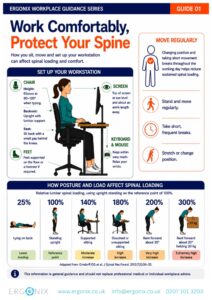
It can be printed or shared electronically as part of:
- DSE awareness programmes
- workplace wellbeing initiatives
- employee inductions
- workstation assessments
- health and safety communications.
Workplace Ergonomics and DSE Training
Ergonix supports organisations across the UK with workplace ergonomics, specialist DSE workstation assessments, CIEHF-accredited DSE Workstation Assessor training and employee wellbeing workshops.
In Summary
Good workstation ergonomics is about making simple adjustments that support comfortable working while encouraging regular movement throughout the day.
A well-adjusted workstation, combined with healthy working habits, can help reduce unnecessary spinal loading and support long-term musculoskeletal health.
Download Guide 1 | Work Comfortably, Protect Your Spine and share it with your employees to help promote healthier, more comfortable ways of working.
Explore More Free Workplace Guidance
Explore more free guides in the Ergonix Workplace Guidance Series, covering practical ways to improve comfort, reduce musculoskeletal strain and support healthier ways of working.