Guide 9 | Ergonix Workplace Guidance Series
A suitable office chair plays an important role in supporting comfort during prolonged desk work. However, not all office chairs provide the same level of support or adjustability, and a chair that suits one person may not be suitable for another.
Choosing the right office chair is not necessarily about buying the most expensive model. It is about finding one that fits the individual, supports a comfortable seated posture and allows regular changes in position.
Understanding the key features of an office chair can help employees and organisations make more informed decisions.
What Should You Look for in an Office Chair?
A well-designed office chair should provide appropriate support and sufficient adjustability to accommodate different body shapes, sizes and working requirements.
Stable Base and Adjustable Seat
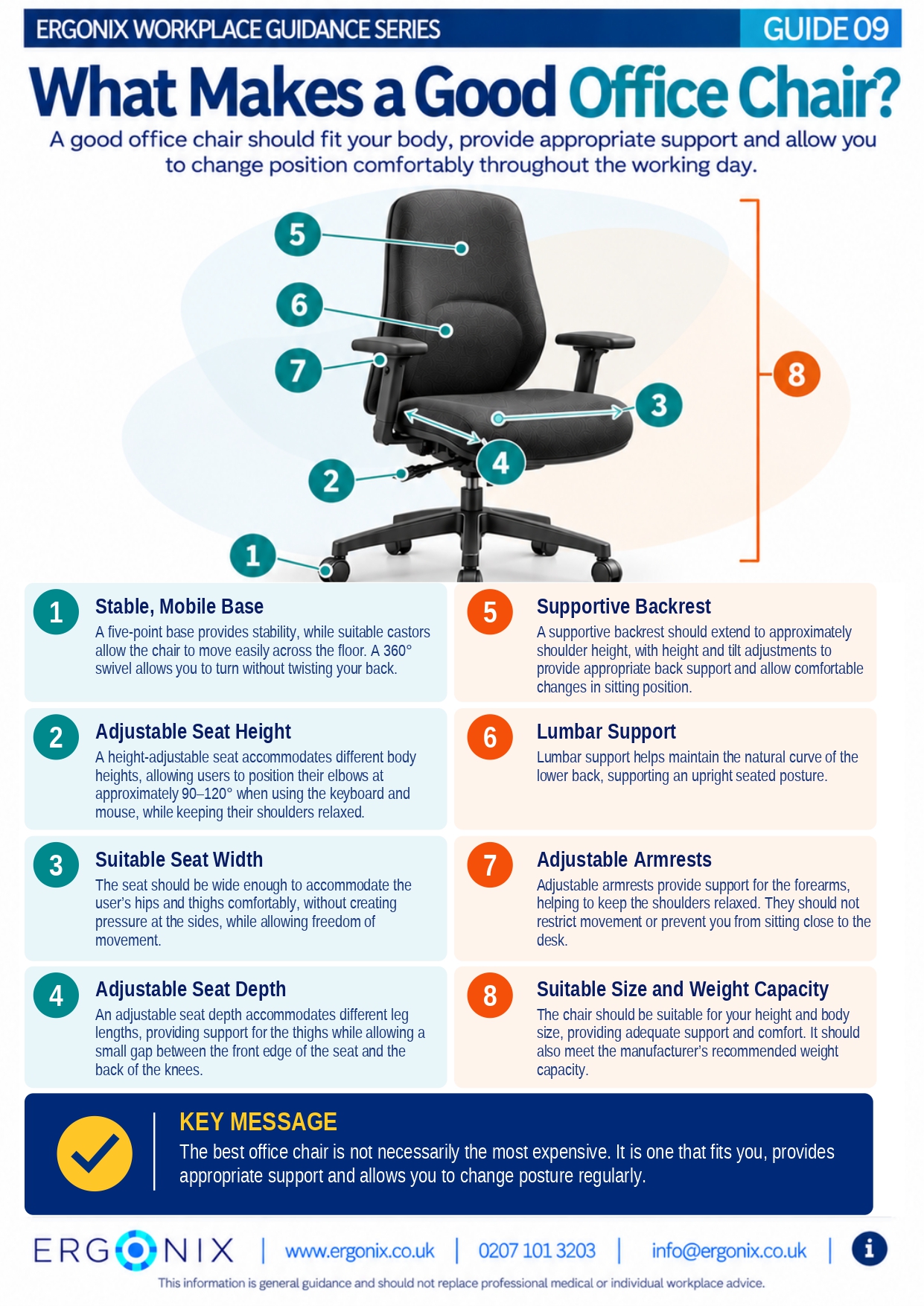
A five-point base provides stability, while suitable castors allow the chair to move easily across the floor. A swivel function also enables users to turn without repeatedly twisting the spine.
Seat height should be adjustable so that the elbows are approximately 90–120° when using the keyboard and mouse, with shoulders relaxed.
Seat depth is equally important. The seat should support the thighs while leaving a small gap between the front edge and the back of the knees. It should also be wide enough to accommodate the hips and thighs comfortably without restricting movement.
Backrest and Lumbar Support
A supportive backrest extends to approximately shoulder height and provides appropriate support for the back.
Height and tilt adjustments allow users to find a comfortable sitting position and change posture throughout the working day.
Lumbar support helps maintain the natural curve of the lower back. The position and shape of this support should suit the individual rather than forcing the back into an uncomfortable position.
Adjustable Armrests
Armrests can help support the forearms and keep the shoulders relaxed.
Ideally, armrests should be adjustable to suit the user without preventing the chair from being positioned close enough to the desk.
Office Chair Size and Weight Capacity
Office chairs need to be appropriate for the user’s height, body size and weight.
It is important to check the manufacturer’s recommended weight capacity and ensure the chair provides sufficient space, support and comfort.
Choosing an Office Chair That Fits the Individual
Even a chair with multiple adjustment features may not be suitable for everyone.
Where possible, individuals are encouraged to try a chair before purchasing it to ensure the dimensions and adjustments suit their needs.
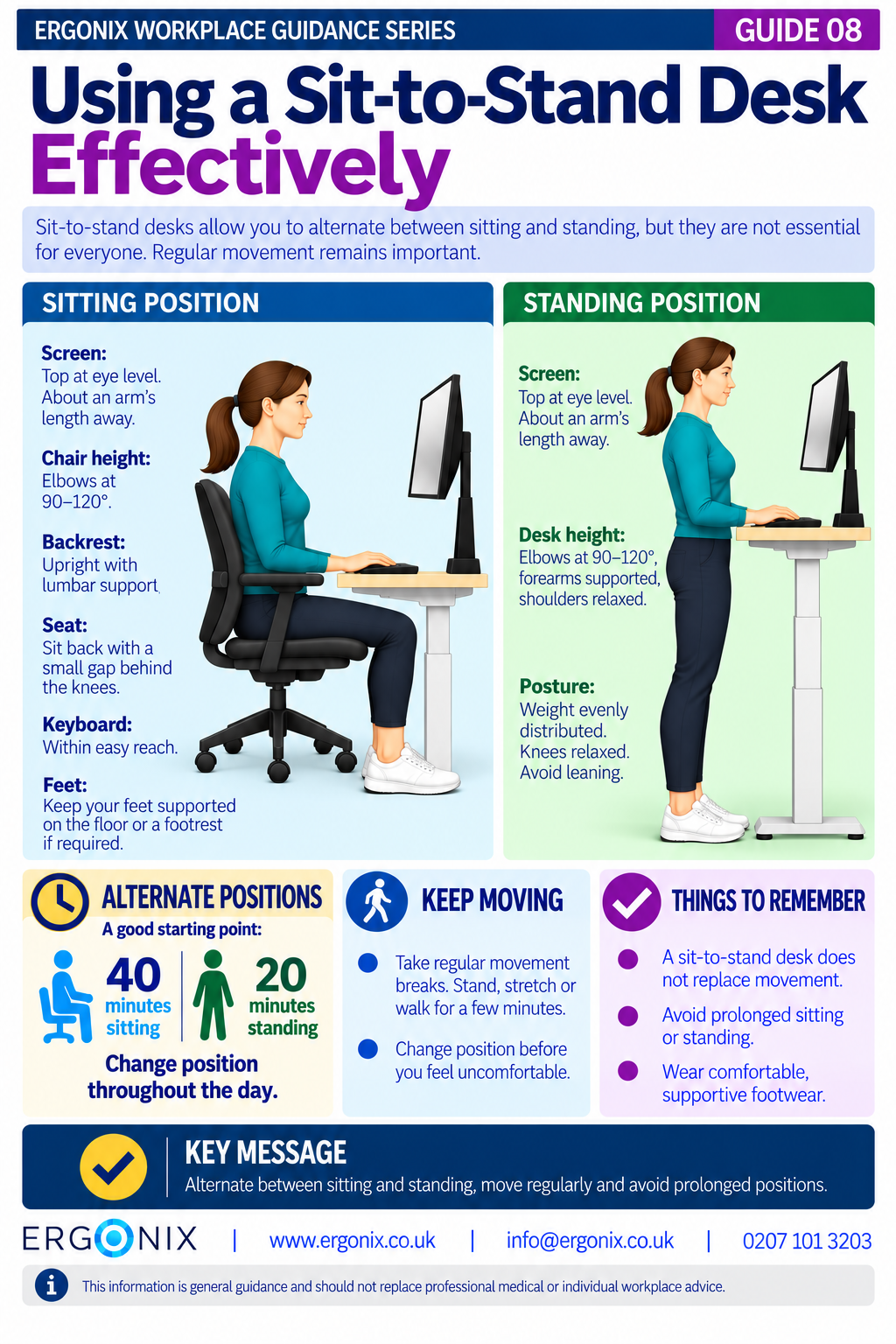
Remember that no chair eliminates the need for regular movement. Changing position and taking movement breaks remain important throughout the working day.
For more detailed information on selecting chairs for employees, read our article, Key Features to Consider When Selecting Office Chairs for Your Employees.
Free Workplace Guidance
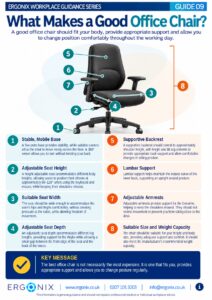
Print and share within your organisation.
This free infographic highlights eight important features to consider when choosing an office chair, including seat adjustability, back support, armrests and overall suitability.
It can be shared as part of DSE awareness training, employee inductions, workplace wellbeing initiatives and health and safety communications.
Workplace Ergonomics and DSE Support
Ergonix supports organisations across the UK with specialist DSE workstation assessments, CIEHF-accredited DSE Workstation Assessor training and workplace wellbeing workshops.
In Summary
A good office chair should fit the individual, provide appropriate support and offer adjustments that allow comfortable working.
Consider seat height, width and depth, backrest and lumbar support, armrests, stability and overall suitability.
Remember, the best office chair is not necessarily the most expensive. It is one that fits the user, supports their working needs and allows regular changes in posture.
Frequently Asked Questions
What features should a suitable office chair have?
A good office chair should have adjustable seat height and depth, a supportive backrest, suitable lumbar support, adjustable armrests and a stable five-point base. It should also be appropriate for the user’s body size and weight.
Does an ergonomic office chair need to be expensive?
No. A higher price does not necessarily mean a chair will provide better support or comfort. The most important consideration is whether the chair fits the individual and offers suitable adjustments.
Should I try an office chair before buying it?
Where possible, yes. Trying a chair allows you to check whether its dimensions, adjustments and support are suitable for your body and workstation.
Can a good office chair prevent back pain?
A suitable chair can help improve comfort and reduce some of the physical demands of prolonged sitting. However, no chair can guarantee the prevention of back pain. Workstation setup, working habits and regular movement are also important.
Explore More Free Workplace Guidance
Explore the Ergonix Workplace Guidance Series for more practical advice on DSE and workplace ergonomics.
- Guide 1 – Work Comfortably, Protect Your Spine
- Guide 2 – Move More, Feel Better, Perform Better
- Guide 3 – Using a Laptop Comfortably
- Guide 4 – Looking After Your Neck When Using Phones and Tablets
- Guide 5 – Looking After Your Eyes When Using Screens
- Guide 6 – Working Comfortably When Hot Desking
- Guide 7 – Working Comfortably With Screens While Travelling
- Guide 8 – Using a Sit-to-Stand Desk Effectively
- Guide 9 – What Makes a Good Office Chair? (PDF)
References and Further Reading
Health and Safety Executive (HSE). Working safely with display screen equipment.
Ergonix. Key Features to Consider When Selecting Office Chairs for Your Employees.
Author: Angela Yates | Workplace Health, Wellbeing & Ergonomics Specialist | HCPC-Registered Physiotherapist