Guide 3 | Ergonix Workplace Guidance Series
About the Ergonix Workplace Guidance Series
The Ergonix Workplace Guidance Series provides free, evidence-based resources to help organisations create healthier, more comfortable working environments. Each guide offers practical advice that can be shared with employees as part of DSE awareness, workplace wellbeing and health and safety programmes.
Why Laptop Ergonomics Matters
Laptops have transformed the way we work, making it easier to work from home, travel between locations and collaborate in different environments. While they offer flexibility and convenience, they are not designed for prolonged workstation use without adjustment.
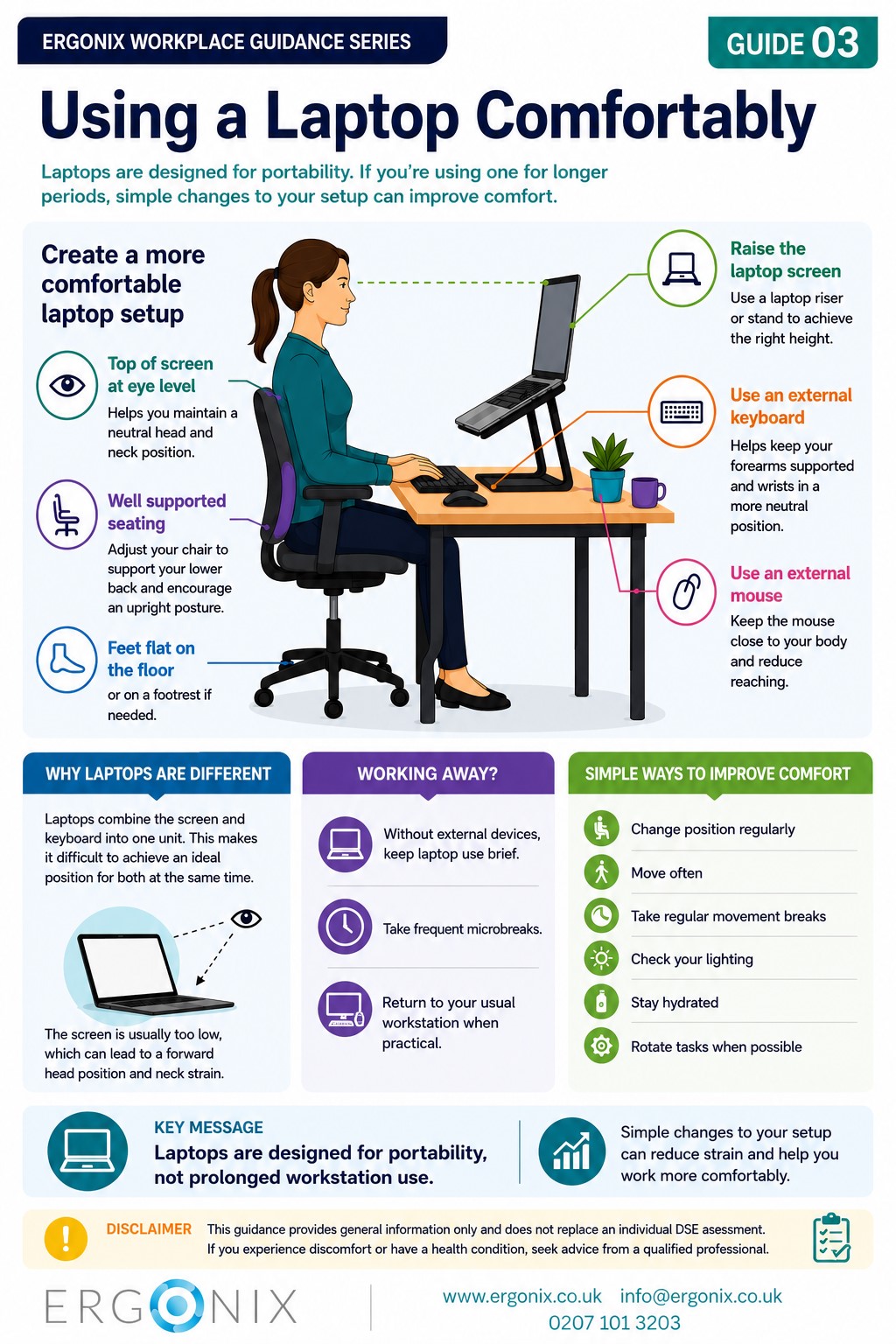
Unlike a desktop computer, the screen and keyboard are fixed together. This means it is impossible to position both correctly at the same time. If the screen is raised to eye level, the keyboard becomes too high to use comfortably. If the keyboard is positioned correctly, the screen is usually too low, encouraging a forward head posture and increased strain on the neck, shoulders and upper back.
For people who regularly use a laptop for work, understanding these limitations is an important part of improving comfort and reducing musculoskeletal discomfort.
Creating a More Comfortable Laptop Setup
Simple adjustments can make a significant difference when using a laptop for longer periods.
These include:
- Raising the laptop screen so the top is at eye level
- Using an external keyboard and mouse whenever possible
- Sitting back in the chair with good lumbar support
- Using a lightweight laptop and accessories when travelling
These simple changes help promote a more neutral working posture and reduce unnecessary strain on the neck, shoulders, upper limbs and back.
Working Away from Your Usual Workstation
There will be occasions when using external equipment is not available, such as during meetings, when travelling or when working temporarily away from your usual workstation.
In these situations, focus on reducing the amount of time spent working on the laptop alone by:
- Keeping laptop-only work as brief
- Taking frequent microbreaks
- Returning to your usual workstation when practical
Small adjustments and regular movement can help reduce the physical demands associated with temporary laptop use.
Supporting Comfortable and Productive Working
Providing employees with practical guidance on laptop ergonomics can help:
- Improved comfort during screen-based work
- Reduced neck, shoulder and upper back discomfort
- Better postural awareness
- Increased confidence when setting up temporary workstations
- Healthier long-term working habits
Simple ergonomic adjustments can make laptop use more comfortable, but a well-set-up workstation remains the best option for prolonged computer use.
Free Workplace Guidance
Print and share within your organisation.
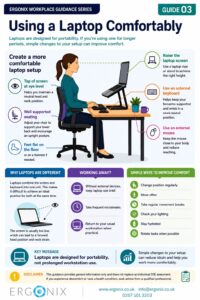
This free infographic provides practical guidance to help employees use laptops more comfortably in the office, at home and while travelling. It can be printed or shared digitally as part of DSE awareness, workplace wellbeing and health and safety initiatives.
It is commonly used to:
- Support DSE awareness and training
- Share within employee wellbeing communications
- Promote good laptop ergonomics for office, home and hybrid workers
- Support HR, Health and Safety, and Occupational Health programmes
Workplace Ergonomics and DSE Training UK
Ergonix supports organisations across the UK with workplace ergonomics, specialist DSE workstation assessments, CIEHF-accredited DSE Workstation Assessor training and employee wellbeing workshops.
In Summary
Laptops provide flexibility and convenience, but they are not designed for prolonged workstation use without adjustment. Understanding their limitations and making simple ergonomic changes can help improve comfort, reduce musculoskeletal strain and support healthier ways of working.
Explore More Free Workplace Guidance
Explore more free guides in the Ergonix Workplace Guidance Series, covering practical ways to improve comfort, reduce musculoskeletal strain and support healthier ways of working.